Why Your AI Product Images Look Different Every Time (And How to Fix It)
Learn the science behind AI inconsistency and the simple solution.
Table of Contents
- The Problem Nobody Talks About
- What Actually Causes AI Image Inconsistency
- How Inconsistent Images Hurt Your Brand and Sales
- The Science Behind AI Image Generation
- Step-by-Step: How to Fix AI Generated Images for Consistency
- The Power of Prompt Templates for E-commerce
- Best Tools to Maintain AI Product Images Consistency
- Case Study: How One Shopify Store Went From Chaos to Consistent
- Expert Tips to Keep Your Visual Brand Locked In
- FAQ: Your Top Questions Answered
- Conclusion
1. The Problem Nobody Talks About
You spent hours generating AI product images. They looked incredible — bright, clean, professional. You hit publish. Then next week, you need three more images for the same product. You type the same description, hit generate… and the results look like they came from a completely different brand. Different lighting. Different background. Different vibe.
You're not alone. AI product images consistency is one of the biggest hidden problems in e-commerce today. Millions of store owners are quietly wrestling with it. A 2024 survey by Adobe found that 74% of e-commerce brands struggle to maintain visual consistency when using AI tools — and most don't even realize it's costing them sales.
2. What Actually Causes AI Image Inconsistency
Before you can fix AI image inconsistency, you need to understand what's actually going on under the hood. Here's the real story.
AI Is Probabilistic, Not Deterministic
Every time you run a text-to-image AI model, it makes thousands of tiny random decisions. These aren't bugs — they're features. The randomness is what gives AI images their creativity and variety. But it's also the source of your inconsistency problem.
The "Seed" Problem
Most AI tools use something called a seed value — a random starting number that controls the image generation process. If you don't lock the seed, a new random number is chosen every time. Different seed = different image. It's that simple, and that frustrating.
Vague Prompts Amplify Randomness
The less specific your prompt, the more the AI "fills in the gaps" with randomness. Phrases like: "professional product photo", "clean white background", "high quality image" give the AI enormous wiggle room. Every interpretation is technically correct, but none of them will match each other consistently.
Model Updates Break Everything
AI image tools update constantly. What worked perfectly in February may look noticeably different in June — even with the exact same prompt. Midjourney alone released multiple major versions in 2024, each producing visually distinct outputs.
3. How Inconsistent Images Hurt Your Brand and Sales
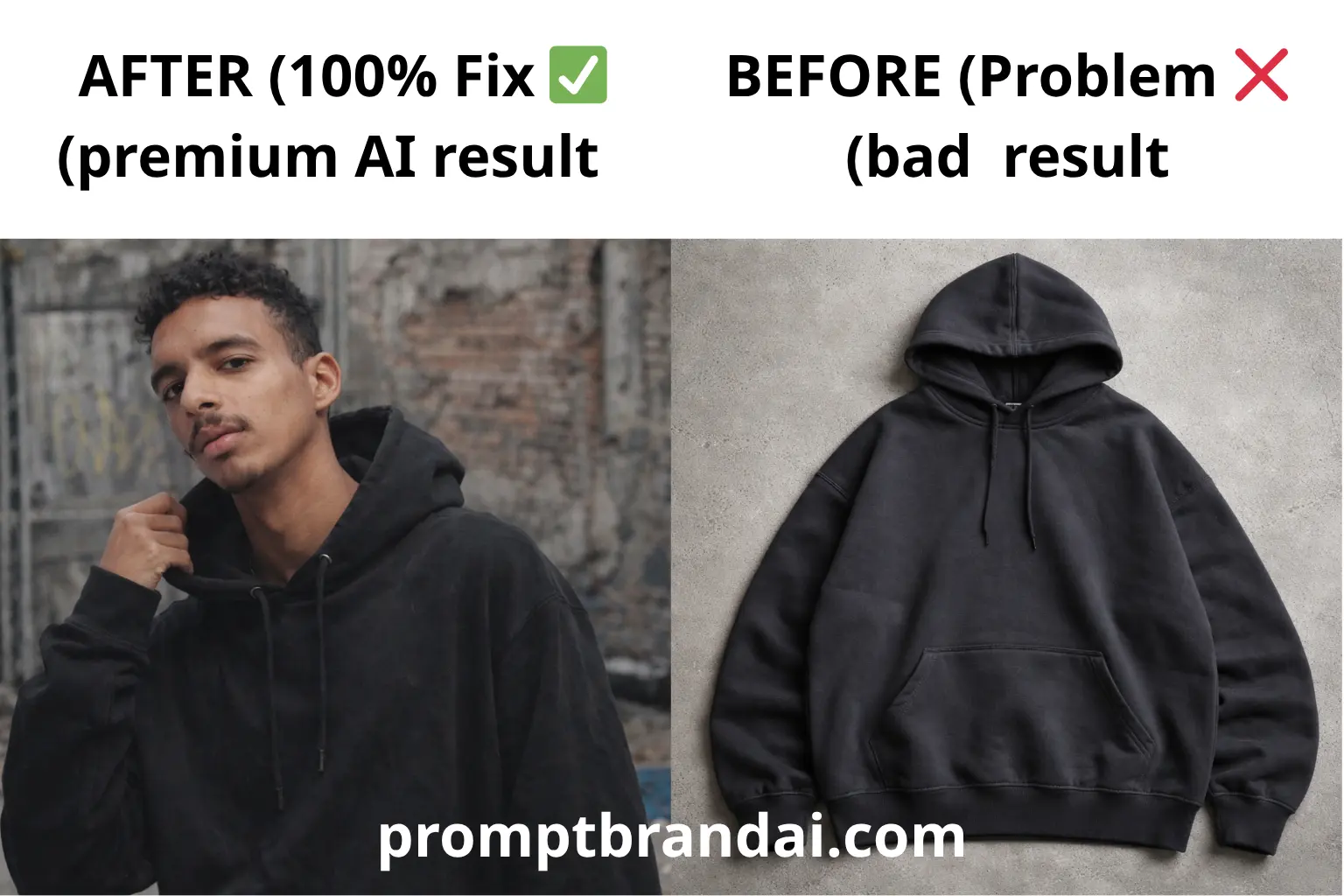
This isn't just an aesthetics issue. Inconsistent AI product images directly impact your revenue.
Trust Signals Drop
Research from Nielsen Norman Group shows that visual consistency increases perceived trustworthiness by up to 33%. When your product photos look scattered and mismatched, visitors subconsciously wonder: "Is this a real, professional business?"
Conversion Rates Tank
A/B tests run by e-commerce consultancy Baymard Institute found that product pages with visually inconsistent photography convert 15–22% worse than pages with cohesive imagery. Shoppers hesitate. They second-guess. They leave.
Your Brand Becomes Invisible
Consistent visual branding is how people recognize you in a crowded market. Think of Apple's clean whites. Think of IKEA's natural lifestyle shots. Those aren't accidents — they're the result of rigid visual systems. Without consistency, you're invisible.
Returns Go Up
When your product looks different in every photo, customers are confused about what they're actually buying. Return rates can spike when expectations don't match reality — and mismatched imagery is often the culprit.
4. The Science Behind AI Image Generation
To truly fix the AI image inconsistency problem, it helps to understand a little about how these tools actually work.
How Diffusion Models Work (Simply Explained)
Most modern AI image tools — Midjourney, DALL·E 3, Stable Diffusion, Adobe Firefly — use a technique called diffusion modeling. Here's the simple version:
- The model starts with pure visual noise (static)
- It reads your text prompt and begins "denoising" the image step by step
- At each step, it makes choices based on your prompt + randomness + its training data
- After hundreds of steps, a coherent image emerges
The problem? Those "choices" at each step are influenced by: your prompt wording, the seed value, the model version, sampling parameters. Change any one of these things, and your image changes.
Why "The Same Prompt" Isn't Really the Same
AI tools don't process prompts like a database lookup. They interpret them like a human reader would — with context, assumptions, and inference. The phrase "product on a marble surface" could generate white marble, grey marble, veined marble, polished marble, rough marble… and so on. This is why specificity is everything when it comes to AI product images consistency.
5. Step-by-Step: How to Fix AI Generated Images for Consistency
Here's the practical system you need. Follow these steps every time, and you'll get dramatically more consistent results.
Step 1: Build Your Brand's "Visual DNA" Document
Before you write a single prompt, you need to define your brand's visual identity in concrete terms. This document should include background style, lighting, camera angle, color palette, mood/atmosphere, and style reference.
Step 2: Write a "Master Prompt Template"
Turn your Visual DNA document into a reusable prompt template. Example structure and sample master prompt are included in the full guide above.
Step 3: Lock Your Seed
Fix the seed number to force the AI to start from the same random point every time. In Midjourney add --seed, in Stable Diffusion set seed in settings, etc.
Step 4: Save and Reuse Reference Images
Most AI tools support image prompting — feed a previous image you loved as a visual anchor (img2img or style reference).
Step 5: Document Everything
Record exact prompt, seed, model/version, tool settings, and date created. Build a prompt library (Notion, Airtable, or a spreadsheet).
Step 6: Do a Batch Consistency Check
Line up all images side by side and confirm they belong in the same catalog. If something feels off, regenerate using the master template.
6. The Power of Prompt Templates for E-commerce
Prompt templates are the single most effective tool for fixing AI image inconsistency. Think of them as your brand's visual stylesheet for AI.
What a Good Prompt Template Looks Like
A great template has subject, environment, lighting, technical, and style layers. Example templates for skincare, fashion, food, and tech are included in the guide.
7. Best Tools to Maintain AI Product Images Consistency
Not all AI image tools handle consistency equally. Top options include Midjourney v6, Adobe Firefly, Stable Diffusion (ComfyUI/Automatic1111), DALL·E 3, Canva AI, and Pebblely. Prompt management tools like Notion, PromptBase, and Airtable help organize templates.
8. Case Study: How One Shopify Store Went From Chaos to Consistent
The brand "Solaire Candles" used a 4-step system: Visual DNA doc, master prompt + seed, prompt library, and batch review. Results included a conversion increase from 1.8% to 3.4% and faster image generation times.
9. Expert Tips to Keep Your Visual Brand Locked In
- Treat your prompt like a brand style guide.
- Version control your prompts and note model versions.
- Use negative prompts to exclude unwanted artifacts.
- Create a visual benchmark image and compare every new image against it.
- Batch generate 8–10 variations and pick the best 2–3.
10. FAQ: Your Top Questions Answered
Q1: Why do my AI images look different even when I use the exact same prompt?
AI generation is probabilistic. Lock your seed and pin model versions to reduce variation.
Q2: Can I use AI product images for commercial purposes without copyright issues?
This varies by tool. Check each tool's terms. Adobe Firefly and paid Midjourney plans are generally safe for commercial use.
Q3: How do I maintain consistency when my AI tool releases a new model version?
Regenerate a benchmark image with the new version, compare, and re-tune prompts as needed.
Q4: What's the fastest way to achieve consistency for a large catalog?
Create master templates, train a custom LoRA on best images, and batch-generate at scale. For non-technical users, use tools like Pebblely or Adobe Firefly Batch mode.
Q5: My AI images are consistent but they don't look realistic. What's wrong?
Add photography-specific terms, increase resolution, adjust guidance scale, or use photorealism-focused models.
Q6: Can prompt templates work for lifestyle images?
Yes—include model, environment, action, and time-of-day variables in your template.
Q7: How many prompt templates should a small e-commerce brand have?
3–5 core templates are ideal: flat lay, lifestyle, macro, seasonal/campaign, and hero image templates.
Conclusion
AI product images inconsistency isn't a tool problem — it's a system problem. The solution is a repeatable process: locked seeds, detailed templates, reference images, and documentation.
Ready to make your AI images consistent? Browse our library of ready-made AI prompt templates for e-commerce: flat lay, lifestyle, category-specific, and copy-paste ready templates that work across major AI tools.